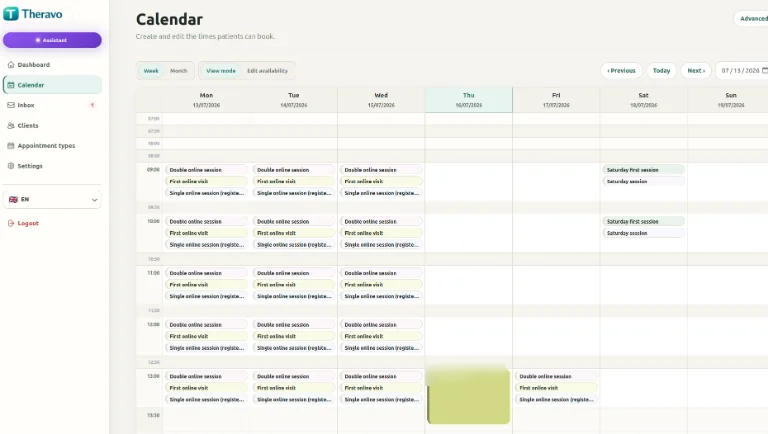
Each appointment type can have its own duration, buffer, availability, format and booking rules.
First consultation
For new clients getting in touch with your practice for the first time.
Ongoing therapy session
For clients already working with you.
Online session
For remote appointments.
Private appointment
Visible only within your practice calendar.
Only share the availability you want
Your full working diary stays private. Clients only see the appointment types and times you choose to make available. You decide:
which slots are available to new clients
which slots are reserved for existing clients
whether sessions are online or in person
appointment duration
buffer time
cancellation rules
public visibility
Different schedule every other week?
Create different availability patterns, copy weeks ahead and use separate schedules for even and odd weeks. You can build the rhythm that matches how your practice actually works rather than rebuilding the diary every week.
Less email back-and-forth
Clients see the appointment times you have chosen to make available and select a suitable slot themselves.
Appointment type → time → contact details → confirmation
Client access for ongoing work
When you enable the client portal, existing clients can view released appointments and use the booking, rescheduling or cancellation options that your practice permits.
How online booking works
Appointment type → time → contact details → confirmation
Clients see the appointment times you have chosen to make available and select a suitable slot themselves.
Privacy-focused appointment organisation
Theravo’s core application and database are hosted in Germany. Access is controlled, and the service is designed for sensitive appointment information. A Data Processing Agreement is available where applicable, and encrypted external backups support service recovery.
Theravo focuses on appointment organisation and does not replace clinical records or other documentation your practice is required to keep.